The habit starts the same way for everyone. You're scrolling through LinkedIn at 7:30am and a headline appears: The Product Manager's Guide to Stakeholder Alignment. Exactly what you needed last Tuesday in that meeting. You tap the share button, save it to Pocket, and keep scrolling.
That article will not be read. You already know this.
Pocket's own research found that roughly 70% of saved content is never revisited. The average Pocket user has 340+ items in their backlog and reads about two per month. If you use Pocket, Instapaper, or any browser bookmark folder, those numbers probably feel familiar — not because you're lazy, but because the systems themselves are broken.


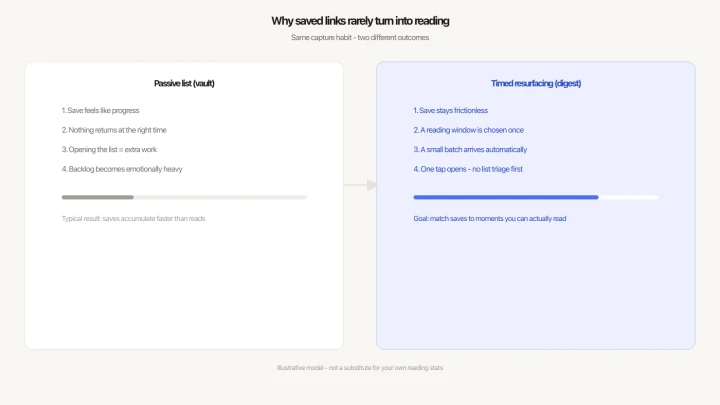
Saving feels like reading
When you save a link, you get a small sense of completion. The article exists somewhere now. You've done something with it. Psychologists call this "cognitive offloading": you hand a task to an external system and get immediate relief from thinking about it.
The problem is the system doesn't come back for you. The relief is real. The reading never happens.
A list you don't browse isn't a reading list
Most read-later apps are vaults. Things go in. They sit there. Nothing comes out unless you manually open the app, scroll through a wall of headlines, and choose something to read.
The flaw is timing. The moments when you check that list — waiting for a coffee order, killing two minutes between meetings — are not the moments when you can read a 1,500-word article on stakeholder management. The wrong article meets the wrong moment, every time. Eventually you stop opening the app entirely.


When people actually read
Reading happens in predictable slots: a 40-minute train commute, a lunch break where you're eating alone, the 30 minutes before sleep that isn't quite productive and isn't quite rest. These windows come back every day.
What most people lack isn't reading time. It's a mechanism that puts the right article inside those windows automatically — so you don't have to remember it exists or make yourself open the app.
The average smartphone user saves 3–5 links a week. If even one per week were actually read, that's 50 articles a year — a real habit, built from saving behavior that's already in place.
The read-later graveyard forms slowly
It starts with good intentions. A backlog of 10 feels manageable. At 50, you're still telling yourself you'll get to them. At 200, you've stopped counting. At 340, you've stopped opening the app.
Every new save adds to a list that now represents failure rather than curiosity. The emotional weight of a full backlog is the reason most people with a Pocket account haven't opened it in months. The articles aren't gone — they're just unreachable.
What Refloat does differently
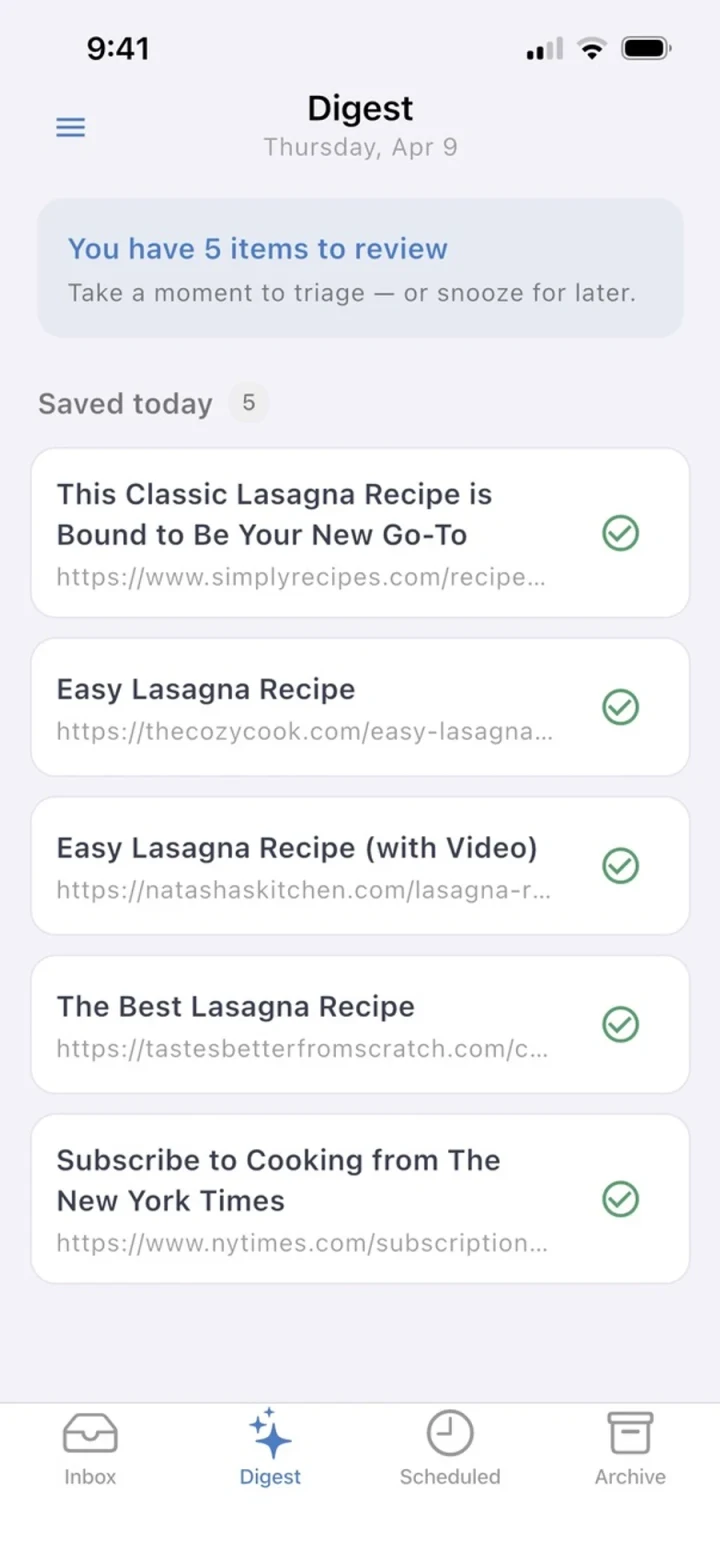
Refloat is a link saver with a surfacing mechanism. Capture works the same way as any other read-later app: tap the share button from any app, pick Refloat, choose a time preset. The app extracts the title automatically — no typing. Under three seconds, back to what you were doing.
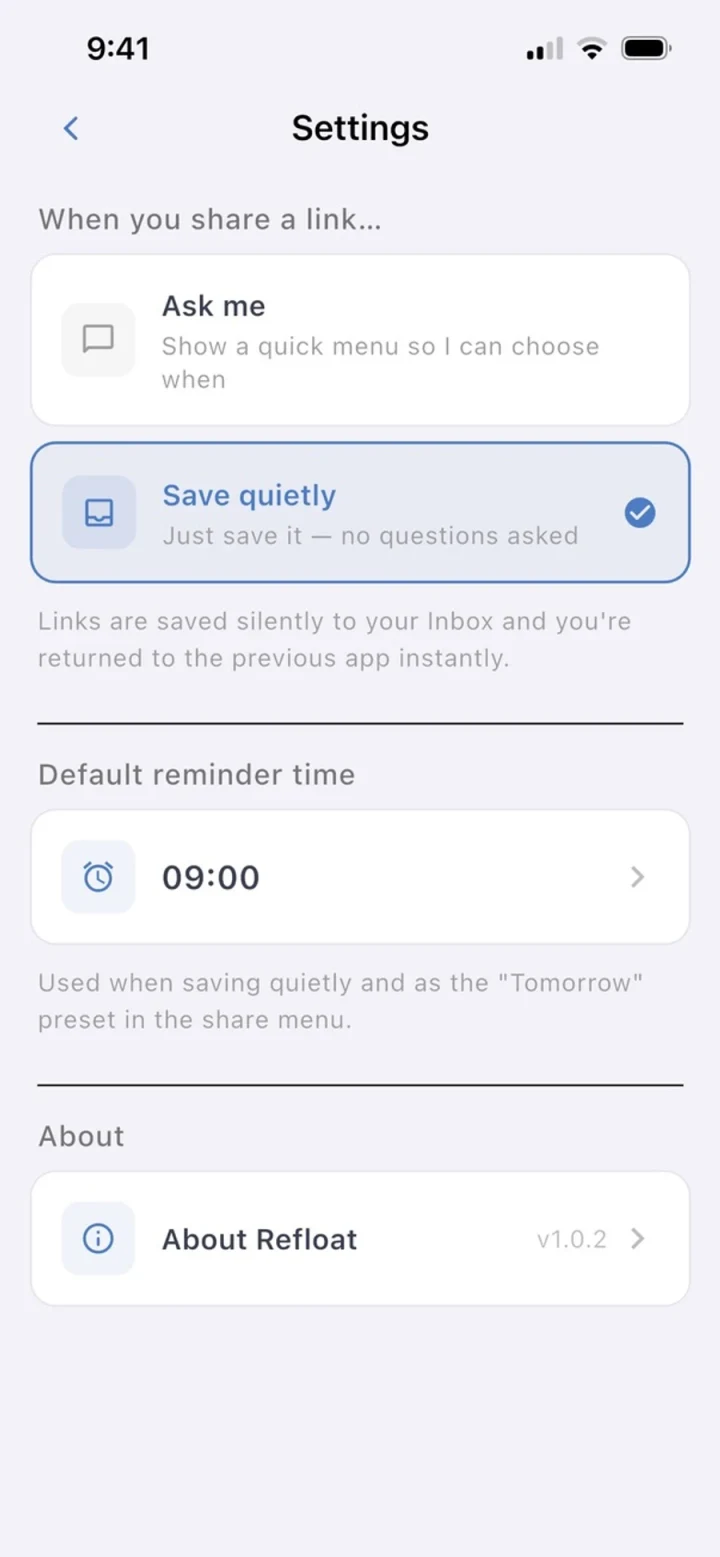
The difference is what happens after. You set a reading window once during setup: say, 7:00–9:00am. Each morning in that window, Refloat pushes a digest of what you've saved. Not a scrollable backlog. A manageable batch, timed to when you've already decided you'll consume content.

Why a digest works when a list doesn't
Three things change:
- Timing. The article arrives when you're already in a reading frame of mind — not during a 90-second gap between tasks.
- Active delivery. You don't have to remember the app exists. The notification arrives. One tap opens whatever looks interesting.
- No backlog pressure. Articles skipped in a digest carry forward. Nothing accumulates guilt. The inbox stays manageable.
The read-later graveyard forms because passive storage requires active retrieval. Refloat inverts that relationship: the links come to you.
No account. Free. Works on iOS and Android.
There's no sign-up, no subscription, and no onboarding that takes five minutes. Install the app, set your reading window, save your first link. The next morning, your digest arrives.
If you have a 340-item Pocket backlog you're avoiding, Refloat won't make that disappear — you'll need to work through that separately. What it does guarantee is that every link you save from here forward has a realistic chance of being read.