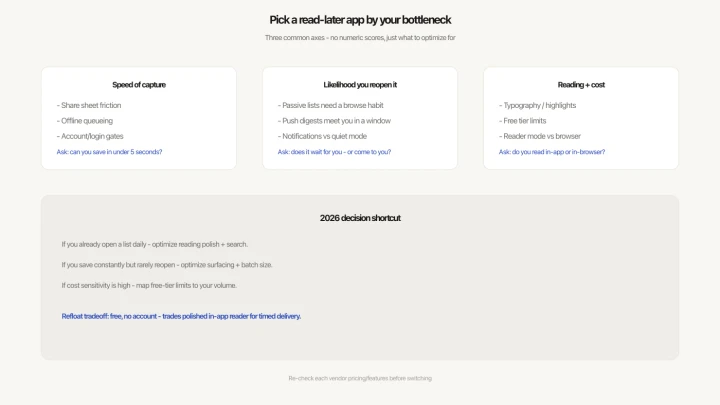
All read-later apps look similar on paper. They receive links, store them, and let you open them later. The differences that matter day-to-day are harder to see in a feature list: how much friction the save adds, whether the app gets opened again, and whether you ever actually read the things you save.
This comparison covers the four apps most people consider: Pocket, Instapaper, Matter, and Refloat. All have meaningful free tiers.
What to look for
Four things determine whether a read-later app works in practice:
- Capture speed. Every extra step between "I want to save this" and "saved" costs future reads. Apps that require you to open them, log in, or type anything lose articles to the "I'll do it later" effect.
- Surfacing. Does the app bring saved content back to you, or does it wait for you to go looking? This single factor determines whether a backlog forms.
- Reading experience. For long-form articles, a clean reading view with adjustable font matters. For links you plan to open in a browser, it doesn't.
- Account requirement and cost. Apps that require sign-up add friction for new users and create a dependency on a service that might change its pricing.


Pocket is the category leader. 15+ years of development, deep browser integration, solid offline reading, and a clean mobile app. The free tier is generous — unlimited saves, full-text search, and a decent reading view.
The hard limit: Pocket is a passive archive. There is no mechanism that brings saved articles back to you. You have to open the app, scroll the list, and choose. Pocket Premium ($44.99/year) adds permanent archiving and full-text search across all articles, but doesn't solve the surfacing problem.
Best for: People who already browse their reading list regularly and want reliable offline reading. Poor fit if you accumulate saves faster than you read.
Instapaper
Instapaper has the best reading experience in the category. Font control, text size, night mode, and a clean layout that strips everything except the article. It also supports saving highlights and exporting them.
Like Pocket, it's a passive list. Nothing comes out unless you go in. The free tier limits highlights to 5 per article. The iOS app has a polished share-sheet integration; Android is functional but less refined.
Best for: Serious readers who highlight and annotate. If you read every day and treat your reading list like an inbox, Instapaper's interface rewards the habit. Weak fit for occasional readers who need the app to remind them what's waiting.
Matter
Matter positions itself as a reading app for newsletters and long-form content. It handles email newsletter subscriptions natively — you get a Matter email address and subscribe to newsletters through it — which consolidates reading in one place.
Saving links from outside newsletters is less polished. Matter's strength is newsletter integration; its weakness is the same passive list problem every other app has. Content sits in a queue until you choose to open it.
Best for: Heavy newsletter readers who want one place for both newsletters and saved articles. Less useful for people whose saves come primarily from social media links and browser tabs.



Refloat
Refloat takes a different approach to the category. Rather than a reading environment, it's a capture and surfacing tool: you save links fast, and the app delivers them during a reading window you define.
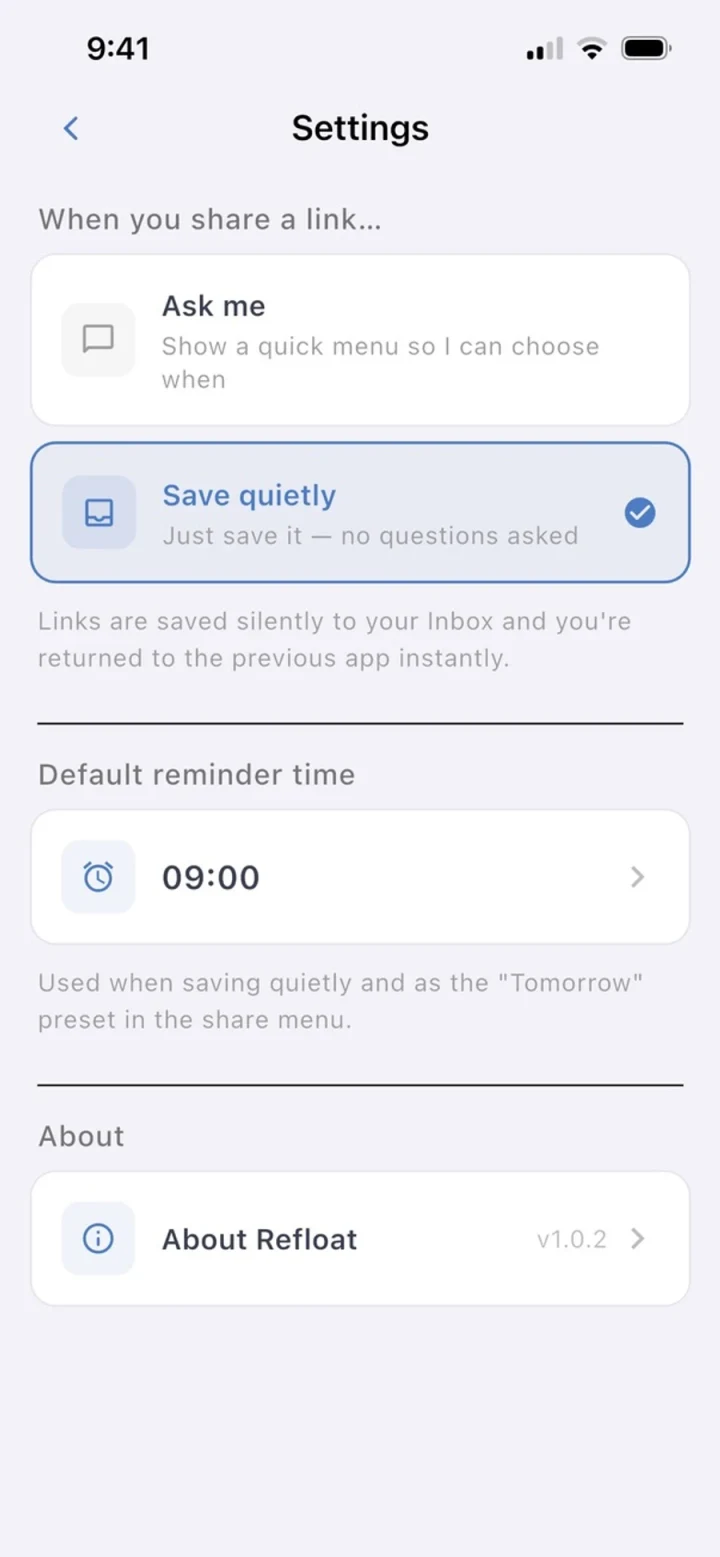
Capture is the fastest of any app tested. The iOS and Android share sheets show a single screen with time presets — Tonight, Tomorrow morning, This weekend, In 1 hour — and the app extracts the article title automatically. No login required, no account creation, no typing. The flow from "I want to save this" to "saved" is under three seconds.
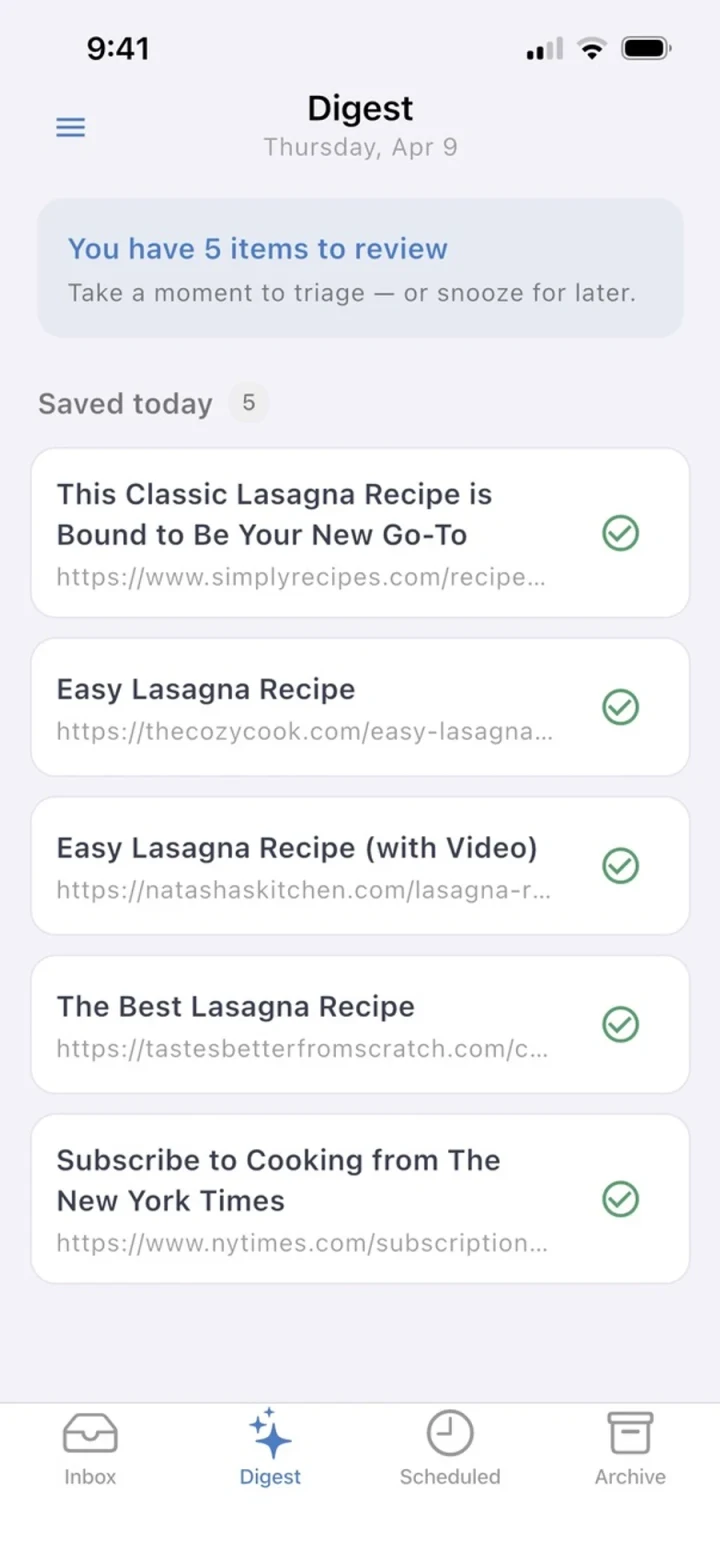
The surfacing mechanism is the key differentiator. You set a daily reading window once during setup — say, 7:00–9:00am — and Refloat delivers a digest of saved links during that window every day. The content comes to you instead of waiting to be retrieved.
What Refloat lacks is a reading view. Articles open in the default browser. If you want a stripped-down reading experience or annotations, Pocket or Instapaper are better choices. Refloat is for people whose main problem is not getting around to reading their saves, not the quality of the reading experience once they do.
Free tier covers everything described above. No premium tier currently.
Best for: People who save regularly but rarely read their saves. No account required means it's also the lowest-friction option to try without committing.
Side-by-side summary
Capture speed: Refloat > Pocket ≈ Instapaper > Matter.
Active surfacing: Refloat only. The other three are passive archives.
Reading experience: Instapaper > Pocket > Matter. Refloat defers to the system browser.
Account required: Pocket, Instapaper, Matter all require registration. Refloat does not.
Free tier: all four apps have meaningful free tiers. Pocket and Instapaper have paid plans with additional features; Refloat and the core Matter experience are fully free.
Which one should you use
If your problem is a growing backlog and articles you save but never read, the passive-list model won't fix it regardless of which app you use. Pocket and Instapaper are both excellent at storing content — they just don't surface it. Switching between them won't change your reading rate.
Refloat is the only option here that attacks the surfacing problem directly. If your read rate from saved links is close to zero, that's the variable worth changing.